

Answers guest messages around the clock
Onsai Chat replies on WhatsApp and in your website chat in over 25 languages, checks your PMS, and can book the room right away.
Key Features
What Onsai Chat does in every conversation
WhatsApp, website chat, and more
Onsai Chat answers wherever your guests write: on WhatsApp, in the chat on your website, in LikeMagic, and on other messaging platforms. Your team sees every conversation in one dashboard.
Over 25 languages
Onsai Chat recognizes the guest's language and replies in it. If the guest switches languages, Onsai switches too.
Bookings in the chat
Onsai Chat checks rates and availability in your PMS. Depending on your PMS, it creates the booking right in the conversation.
Handover with the full conversation
When a request gets complex or the guest would rather write with a person, your team takes over. It gets the full chat history, and nobody has to ask the guest twice. You decide when that happens.
Links and formatted answers
Onsai Chat sends links and formatted answers, like your booking link or directions to the spa.
The Onsai difference
The Onsai difference
Onsai runs its own AI models, built for hotels and independent of US providers.
One dashboard for calls and chats, with every conversation in one place.
GDPR-compliant, data in Europe, DPA included.
Works alongside the chat platforms you already use.
See it in action
How Onsai answers guest messages
WhatsApp Integration
Meet guests where they already chat
Onsai connects to the official WhatsApp Business API. Guests write, and Onsai replies in over 25 languages, day and night. It also understands voice messages and photos. That includes handwritten notes.
Official WhatsApp Business API
A verified business account with the green tick and message templates. Onsai sets it up together with your hotel and manages it for you.
Voice messages
The guest speaks. Onsai transcribes the message and replies in the guest's language.
Handwriting in photos
A guest sends a photo of a handwritten wish list, and Onsai reads it and acts on it.
Images, PDFs, and documents
Booking confirmations, ID documents, or menus as a photo or PDF. Onsai pulls out what matters and keeps the conversation going.
Facts for WhatsApp only
Add facts, links, and phone numbers that Onsai shares only on WhatsApp, like your booking link, the restaurant menu, or local tips.
Guests know they're chatting with AI
On WhatsApp, Onsai's first reply in a conversation tells the guest they're chatting with the hotel's AI assistant and can ask for a staff member at any time. The notice goes out once, in the language of the guest's first message. On the phone, it's part of the greeting, and in emails it's a note in the footer.
Communication Channels
Every channel, one AI
Onsai meets your guests wherever they are, via phone, email, SMS, or WhatsApp. All channels are run by the same AI.
Phone
Voice calls and phone support
Email communications and support
SMS
Text message communications
WhatsApp messaging and support
Analytics Dashboard
See what guests write about
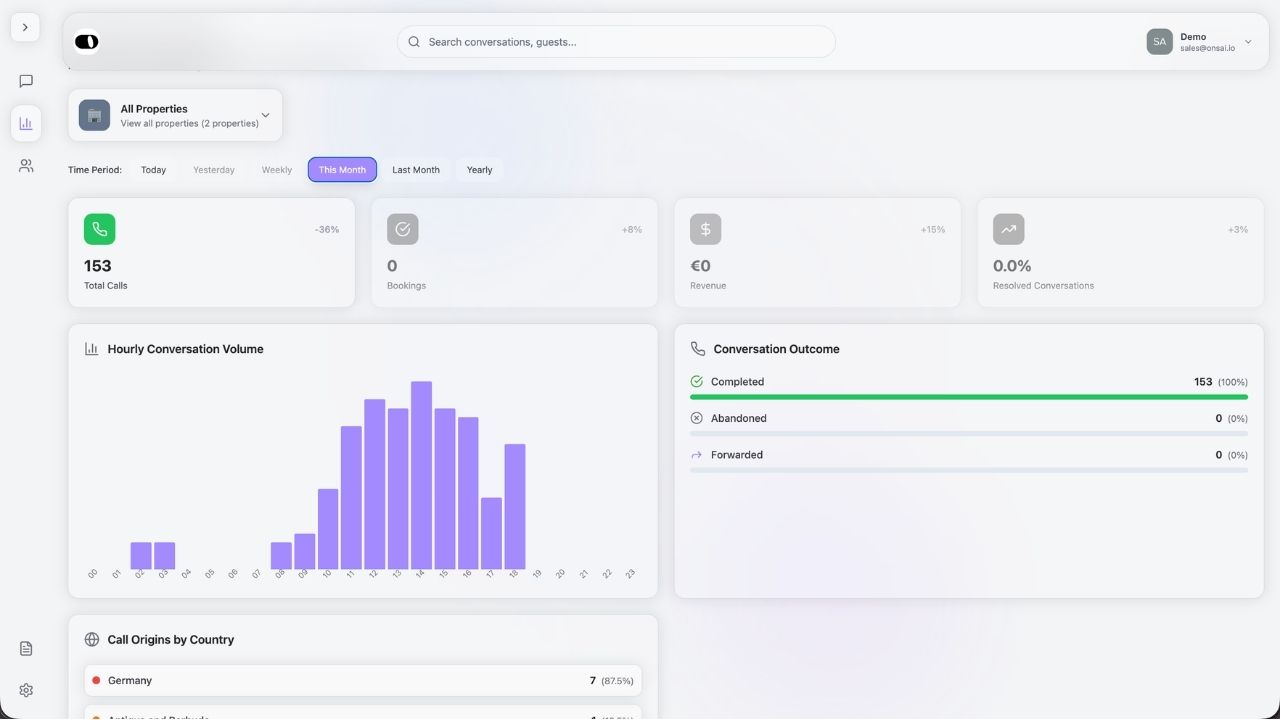
Track conversation volume, booking conversions, revenue impact, and outcomes in one dashboard. One filter switches between phone and WhatsApp conversations.
Knowledge Base
Your knowledge, your control
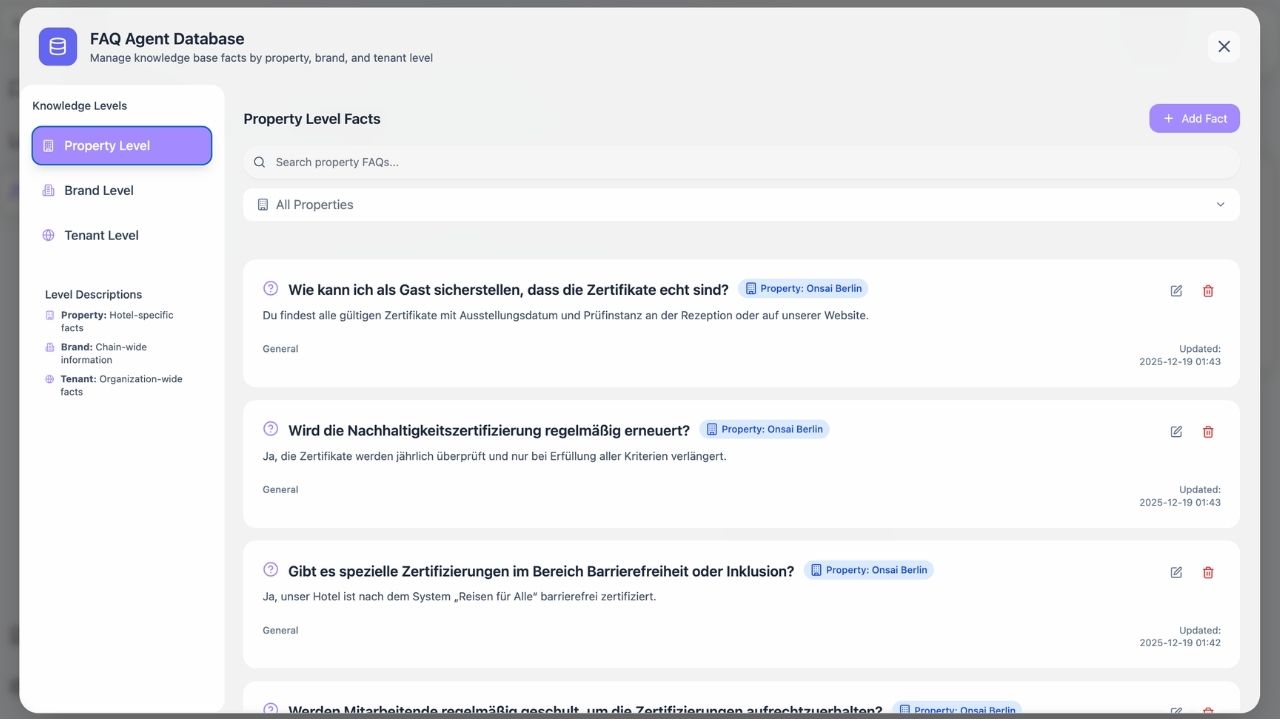
Your team maintains the FAQs Onsai uses, per hotel, per brand, or for the whole organization. Changes apply right away.
FAQ
Messaging Agent FAQ
Bring Onsai Chat to your guests
Book a demo for your hotel or hotel group.
Book a demoOnsai also answers calls and emails and checks OTA commission statements.